nPlayer
Newin Inc.Video Players & Editors
2.1352.00 Reviews
- Version
- 1.8.0.7_240308
- Installs
- 100.00K
- Age Rating
- Everyone
Screenshots
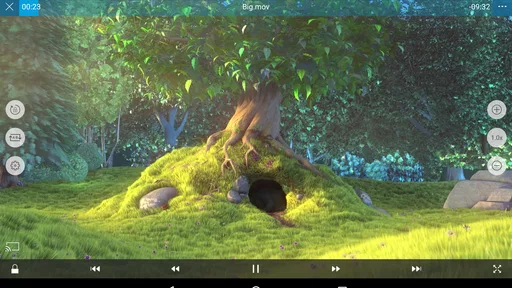
Our Review of nPlayer
 Analysis by Appyee
Have you ever found yourself wishing for a more powerful video player that could handle pretty much any file format you throw at it? Well, you might want to check out nPlayer. It's like that all-in-one tool for video playback that promises to make your viewing experience smoother and more enjoyable. I decided to give it a whirl, and here's my take on it.
Smooth Playback Experience
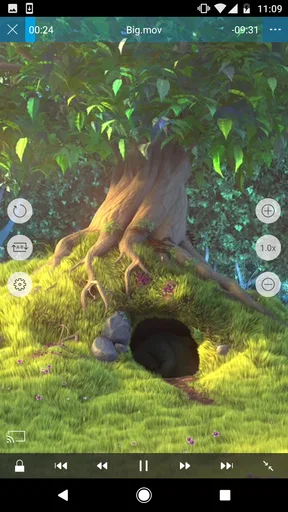
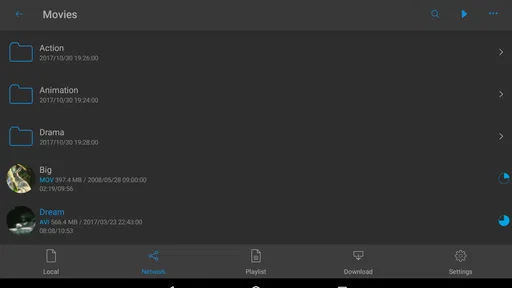
If you’re like me and love watching movies or series on your phone, you know how frustrating it can be when your player doesn’t support a certain file format. With nPlayer, this isn't a problem. It supports a wide range of formats, including MP4, MOV, MKV, and even those pesky AVI files. The playback is incredibly smooth, and I didn’t encounter any hiccups or crashes during my time using it. It feels like it was designed to handle pretty much anything you throw at it.
User Interface and Navigation
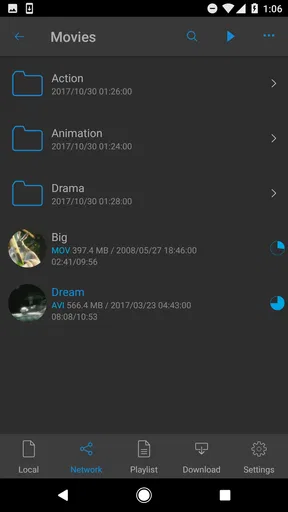
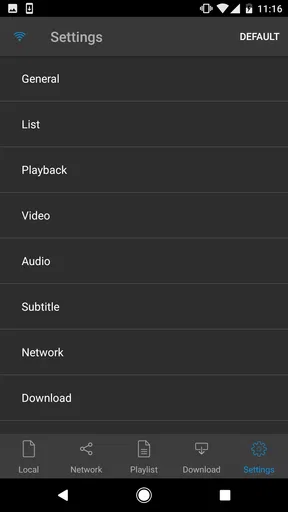
The user interface is sleek and intuitive. Navigating through the app is a breeze, with all the essential features easily accessible. I appreciated how clean it looks, without any unnecessary clutter. This simplicity in design makes it user-friendly for everyone, whether you’re tech-savvy or not. Plus, the app allows you to customize the interface, which is a nice touch if you like personalizing your apps.
Subtitle Support
One of the standout features of nPlayer is its robust subtitle support. You can load subtitles in various formats such as SRT, ASS, and SSA. It’s perfect for those international films you’ve been meaning to watch. The app even allows you to adjust the subtitle timing and size, which I found super handy. No more squinting at tiny text or dealing with out-of-sync dialogues.
Streaming and Connectivity
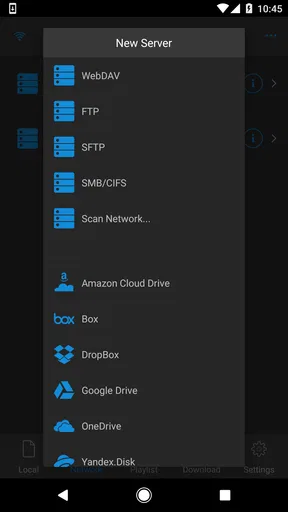
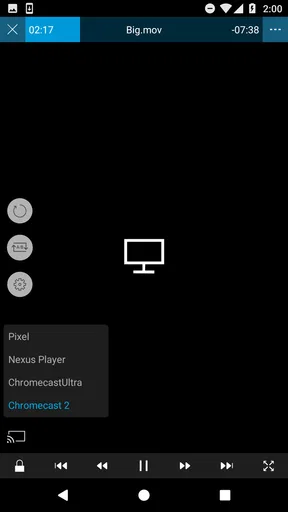
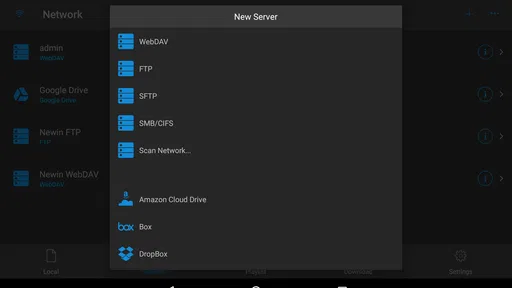
Now, let’s talk about connectivity. nPlayer goes beyond just playing local files; it supports streaming directly from cloud services like Google Drive and Dropbox. You can even connect it to your home network via DLNA or FTP. It’s like having a mini media server in your pocket. This feature is especially useful when you want to watch something on a bigger screen without having to transfer files manually.
Audio and Video Quality
Video quality is top-notch, with support for 1080p and even 4K resolution. The audio quality is equally impressive, supporting high-definition sound formats. You can also adjust audio settings to your liking, including balance, equalizer, and more. Honestly, it made watching movies on my phone feel like a cinema experience.
Battery and Performance
One concern I had was how this robust app might affect my phone’s battery life. Surprisingly, nPlayer is optimized well enough that it doesn’t drain your battery too quickly. Performance-wise, it’s smooth sailing. The app doesn’t lag, and it’s responsive even when handling large files.
Final Thoughts
Overall, I’d say nPlayer is a must-have if you’re serious about your media on mobile. It’s versatile, easy to use, and packed with features that make watching videos a delight. Whether you’re streaming from the cloud or playing files stored locally, this app has you covered. So, if you’re on the lookout for a reliable and efficient media player, give nPlayer a shot. It might just become your go-to app for all things video.
Verdict
Strengths of nPlayer
- Supports a wide range of video formats.
- User-friendly interface design.
- Smooth playback with no lag.
- Customizable subtitles for better viewing.
- Excellent streaming capabilities.
Limitations of nPlayer
- Some features require in-app purchases.
- Occasional crashes on older devices.
- Limited cloud service integration.
- Resource-heavy; drains battery quickly.
- No built-in content discovery.
Similar Picks in This Category
View All
Google TV
Google LLC3.9

iTunes
Apple4.7

YouTube
Google LLC3.8

MX Player
Amazon Mobile LLC4.2

CapCut - Video Editor
Bytedance Pte. Ltd.3.5

PLAYit-All in One Video Player
PLAYIT TECHNOLOGY PTE. LTD.4.5
Frequently Asked Questions
What platforms is nPlayer available on?
nPlayer is available for both Android and iOS devices, providing a seamless media playback experience across different operating systems. This cross-platform availability allows users to enjoy its features on a variety of smartphones and tablets, ensuring flexibility and convenience for all types of media consumption.
Does nPlayer support multiple video formats?
Yes, nPlayer supports a wide range of video formats, including popular ones like MP4, AVI, MKV, and MOV. This extensive format support means users can play almost any video file without needing additional conversion tools, making it a versatile choice for media enthusiasts who have diverse video collections.
Can I stream content directly from cloud services using nPlayer?
Absolutely, nPlayer allows users to stream content directly from popular cloud services like Google Drive, Dropbox, and OneDrive. This feature provides easy access to your media library stored in the cloud, eliminating the need for local storage and offering the flexibility to watch videos anywhere with an internet connection.
Is there subtitle support in nPlayer?
Yes, nPlayer offers robust subtitle support, including formats such as SMI, SRT, and SUB. Additionally, it allows for customization of subtitle appearance, enabling users to adjust font size, color, and position. This feature enhances the viewing experience, especially for international content or hearing-impaired viewers.
How user-friendly is nPlayer for beginners?
nPlayer is designed with a user-friendly interface that is intuitive and easy to navigate, even for beginners. The app provides straightforward controls and clear settings, allowing users to quickly learn how to manage and enjoy their media without complicated instructions. This ease of use makes it accessible to all skill levels.
